Sending your first invoice — or your fiftieth — shouldn’t feel like guesswork. But if you search around, most advice is either written for the US/UK market or buried in dense SARS legal language. This guide is the plain, step-by-step version: what to put on your invoice, how to structure payment terms so you actually get paid, and the small habits that separate freelancers who wait 60 days for money from the ones who get paid in 7.
If you’re VAT registered, keep this open alongside our full tax invoice requirements checklist — that post covers the exact SARS fields your invoice needs. This guide covers everything else: the process, the wording, and the habits.
Step 1: Decide How You’ll Create Your Invoice
You’ve got three realistic options in South Africa right now:
- DIY in Word, Excel, or Google Docs — free and flexible, but every invoice number, VAT calculation, and total is manual. Fine for your first two or three invoices, painful by invoice twenty.
- A downloadable free template — faster than building from scratch, but you’re still doing the maths, tracking which invoices are paid, and chasing overdue ones yourself in a separate spreadsheet.
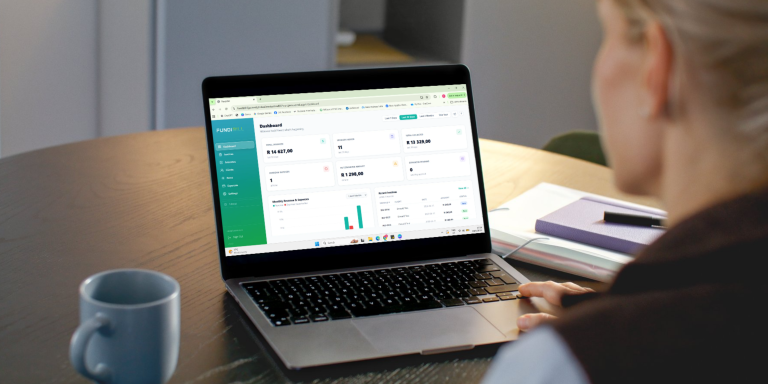
- Invoicing software — generates the invoice number, VAT, and totals automatically, keeps a running record of what’s paid and outstanding, and can send payment reminders for you. FundiBill is built specifically around this — every invoice is created with the correct South African fields already in place, so there’s nothing to remember or recalculate.
For anyone sending more than a handful of invoices a month, option 3 pays for itself in time saved alone.
Step 2: Add Your Business Information
Every invoice needs to clearly identify who’s asking for payment. Include:
- Your business or trading name
- Physical or postal address
- Contact number and email
- Your VAT registration number, if you’re VAT registered (if you’re not sure whether you should be, see our guide on when you need to charge VAT as a small business)
- Your logo, if you have one — it’s a small touch, but it makes an invoice look considered rather than thrown together
Step 3: Add a Unique, Sequential Invoice Number
This one’s easy to overlook but important — for both legal record-keeping and your own sanity when following up on payments. Start anywhere sensible (1, or 1001) and increase by one on every subsequent invoice. Never reuse or skip numbers; a gap in your sequence is exactly the kind of thing that raises questions in an audit.
If you’re doing this manually, it’s easy to lose track once you’re juggling multiple clients. This is one of the most common reasons people move to invoicing software — FundiBill assigns and tracks invoice numbers automatically so there’s zero chance of a duplicate or a gap.
Step 4: Add the Client’s Details
Include:
- Client’s name or business name
- Their address
- Their VAT number, if they’re a VAT vendor and your invoice is over R5,000 (see the full tax invoice checklist for exactly when this is required)
Step 5: Itemise the Work Clearly
Vague line items are one of the most common reasons invoices get queried or delayed. Instead of “consulting services,” break it down:
- If you charge hourly: list each task, the hours spent, and the rate — then subtotal per task before your grand total.
- If you charge per project: describe the deliverable clearly enough that the client can match it to the agreed scope without needing to ask you.
- Always include: quantity/volume, unit price, and line total.
Clear itemisation does two things: it speeds up approval on the client’s side (nobody wants to query a confusing invoice, so they often just… don’t pay it until they understand it), and it gives you a paper trail if there’s ever a dispute.
Step 6: State Your Payment Terms Clearly
This is where a lot of freelancers lose money to slow payers — not because the client is dishonest, but because the terms were never crystal clear. Keep it simple:
- “Payment due within 30 days” — the most common and safest default
- “Net 10” / “Net 15” — full payment due within that many days of invoice date
- “Payment in advance (PIA)” — full payment before work begins or goods are delivered; sensible for new clients or anyone with a patchy payment history
- Avoid overly complex or multi-condition terms — in larger companies, the person paying the invoice is often in a separate accounts department and won’t know the specifics you agreed with your contact. Simple, explicit terms get honoured faster.
Step 7: Show the Total Clearly — Including VAT If Applicable
If you’re VAT registered, your invoice must show the subtotal, the VAT amount, and the grand total as three separate figures — never just one VAT-inclusive number. Full details on exactly what’s required are in our SARS tax invoice requirements guide.
If you’re not VAT registered, simply show your subtotal as the total due, with no VAT line — some freelancers add a short note like “Not registered for VAT” so it’s clear the omission is intentional, not an error.
Step 8: Send It And Send It Promptly
Email is still the standard for invoice delivery in South Africa, especially business-to-business. A few habits that noticeably speed up payment:
- Send it as soon as the work is done, while it’s fresh in the client’s mind and before other priorities push it down their list.
- Name your file clearly — something like
Invoice-1042-ClientName.pdf— so it’s easy for both of you to find later. - CC the actual person who processes payment, not just your day-to-day contact, especially with larger companies. Ask for this contact upfront if you don’t have it.
- Ask about their payment run cut-off dates. Many companies only process invoices at set points each month — missing a cut-off by a day can mean waiting an extra 30.
Step 9: Keep a Record and Follow Up if Payment Is Late
You’re required to keep VAT invoices and related records for five years from the end of the relevant tax period, for SARS audit purposes — full detail on this is in the tax invoice requirements guide. Beyond compliance, a clear record of what’s paid and what’s outstanding is the only way to know when — and who — to follow up with.
This is the step manual invoicing tends to fall down on: spreadsheets don’t send reminders on their own, and it’s easy for an overdue invoice to slip through the cracks when you’re focused on client work rather than admin. FundiBill tracks paid versus outstanding invoices automatically and can send follow-up reminders on your behalf, so nothing sits forgotten past its due date.
Common Mistakes to Avoid
- Sending invoices from a different template every time — inconsistency makes your business look less established than it is.
- Vague descriptions that force the client to come back and ask what a line item actually covers.
- No clear due date or payment terms — “please pay soon” isn’t a deadline.
- Manually calculating VAT — a single arithmetic slip can throw off your whole total and delay payment while it gets queried.
- Not tracking what’s outstanding — the single biggest reason freelancers get paid late is simply not following up, because they’ve lost track of what’s even owed.
Frequently Asked Questions
How soon after finishing work should I send an invoice? As soon as possible — ideally the same day. The longer you wait, the more likely the client is to deprioritise it, and the further the work slips from their memory if there’s ever a question about scope.
What’s the difference between an invoice and a quote? A quote is an estimate you send before work begins, giving the client an idea of cost. An invoice is a request for payment for work already completed or delivered. Quotes aren’t legally binding requests for payment; invoices are.
Can I invoice a client without a VAT number? Yes — if you’re not VAT registered, you simply don’t include a VAT line on your invoice. You can still issue a fully professional, legitimate invoice; you just skip the VAT-specific fields covered in our tax invoice requirements guide.
What should I do if a client doesn’t pay on time? Follow up promptly and politely rather than letting it slide — a short, professional reminder referencing the invoice number and due date is usually enough. Clear payment terms up front prevent most of these situations before they start.
Every step above — the numbering, the VAT maths, the tracking, the reminders — is exactly the admin FundiBill was built to take off your plate. Create your first professional, SARS-compliant invoice in minutes at app.fundibill.online.